



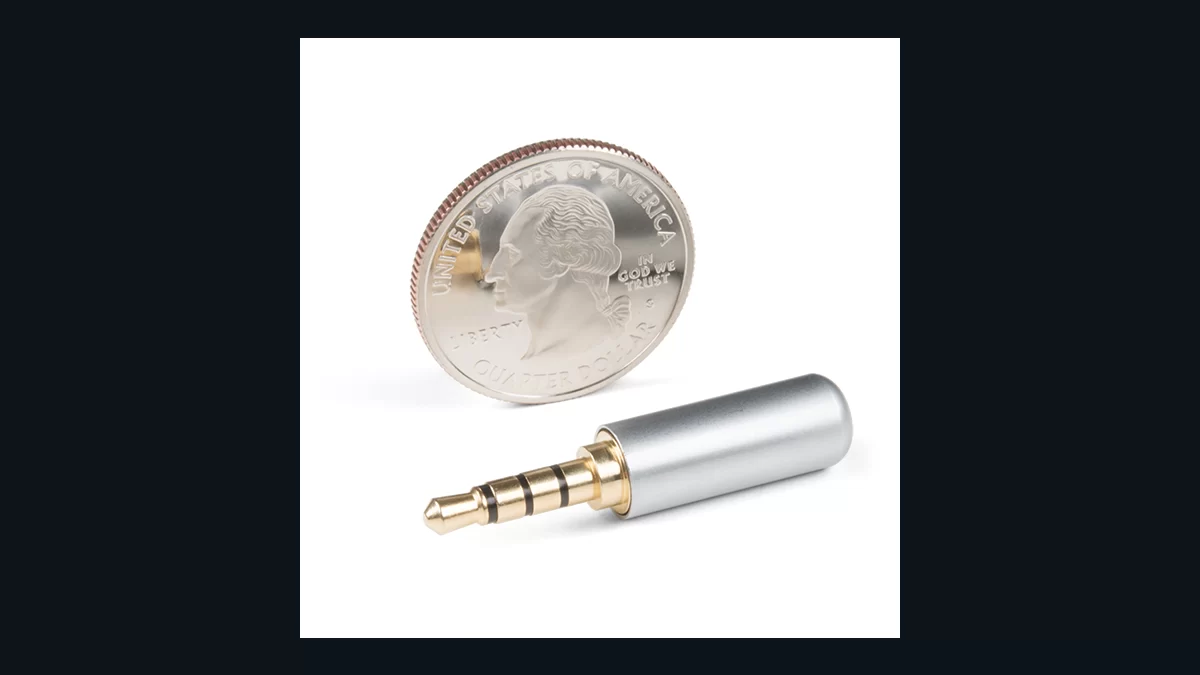
Look at the plug on the headset you want to keep. Does it have three black bands around the metal part? That is a TRRS plug, commonly used to put the headphones and mic on one connection. It may fit the headphone socket on your computer and play music there, but that alone doesn’t establish a route for the mic. Find the computer’s model name and open the audio-port section of its manual before ordering a cable.
Start with the socket, then work back
The port descriptions are the part you need. A combined headset port can take headphone audio and a mic through a compatible plug. On a computer with separate headphone and mic sockets, the two signals need to reach different places. If you’ve been using just the headphone socket, check the manufacturer’s instructions for its recommended headset adapter. With a phone, include the adapter between the plug and phone in your notes. Look for support for microphone input.
Now follow the cable back to the headset. If there’s an extension, pull it out and put it next to the other parts. Keep the parts in connection order. You can photograph the plugs to have something to compare with a replacement listing.
The bands on the metal shaft are useful here. RØDE’s guide identifies TRS by two insulating bands and TRRS by three. Those bands separate three or four metal contacts, respectively. TRRS is commonly used to carry stereo headphone audio and a mic on one plug. A matching number of bands is one thing to check, along with the wiring and device compatibility in the part’s description.
Describe the connection you need
Write the whole route down before shopping. “One headset plug to separate headphone and mic sockets on this computer” gives you something to check against the manufacturer’s adapter list. “3.5mm adapter” leaves out the job you need it to do.
RØDE’s examples show how two adapters can mention the same connector types and serve different purposes. The SC3 connects a TRRS microphone to a TRS input, such as one on a camera or recorder. The SC4 takes a TRS microphone output to a TRRS input. Read those descriptions from the microphone towards the recording device. Then check the compatibility list for your own equipment. Their specified microphone connections are the useful part of the examples.
There is another trap in studio listings. A TRS cable can carry unbalanced stereo or balanced mono, as RØDE explains. The equipment decides which job the contacts do. A cable sold as balanced therefore gives you no answer by itself about a headset microphone connection.
Put one part back at a time
If the headset mic works directly in a documented compatible port, make a short recording there. Add the extension back, keeping the app and input selection the same, and record again. A fault that returns with the extension gives you a part to investigate before replacing the headset. Check the selected input name in the app for each recording and listen back to both.
This source-based guide follows RØDE’s documentation. Our Mac Bluetooth microphone guide covers a different route where using the headphone mic can affect playback quality. For the wired connection, keep the manual open when you compare cables. Match the route in your notes against the product description, all the way from the headset to the computer.