



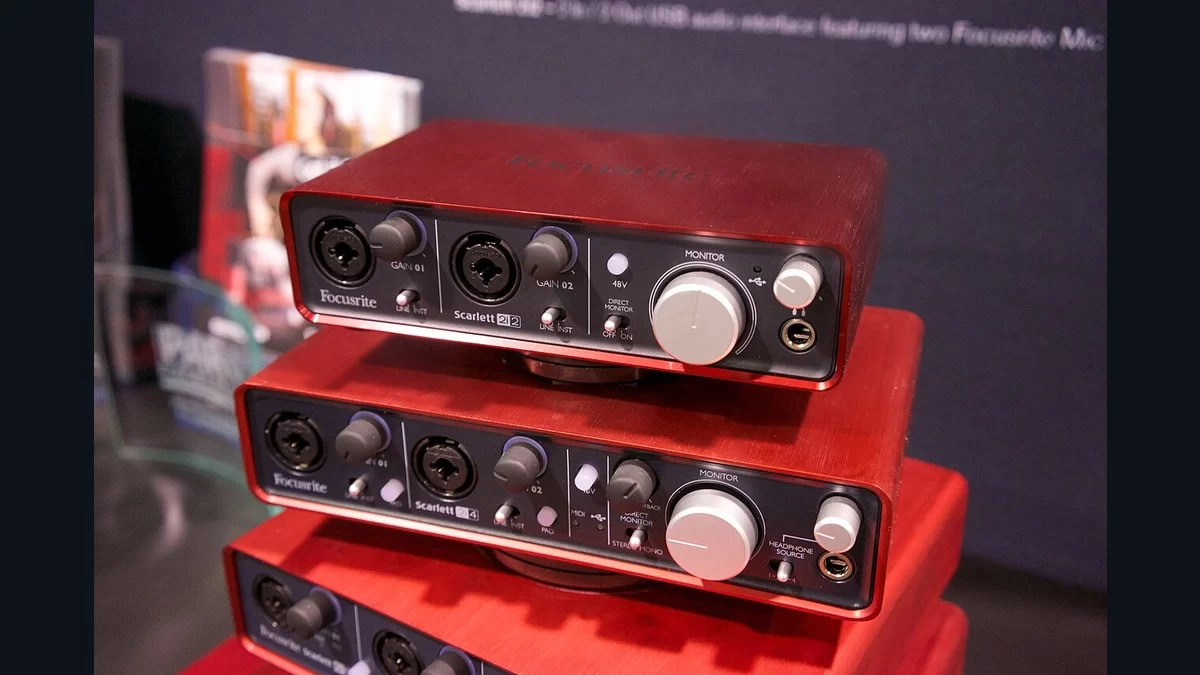
A guitar and a synthesiser can use the same size plug and still need different input settings. Read the output label on the device you're recording before reaching for gain. A plug that fits can still put the signal through the wrong input mode.
This is a source-based connection guide, using Focusrite's explanation of mic, line and instrument levels. The examples come from the documentation, without physical testing by MP3Raid. If you're using another manufacturer's interface, look up how its own inputs are wired and switched.
1. Name the output before choosing the input
Start the setup note with the source and its output label. Write “keyboard line output” or “guitar pickup connected directly.” Those descriptions already separate two jobs that a note about a quarter-inch cable would leave unresolved. A keyboard is a musical instrument, but that doesn't make its line output an instrument-level source.
Focusrite describes microphone signals as weak signals that need a preamp. Line outputs, such as those on many synthesisers, drum machines and mixers, send a stronger signal. A direct guitar or bass pickup is another case: an instrument input also provides an appropriate input impedance for that source.
There is one connection to exclude before proceeding. A power amplifier or guitar amplifier output intended to drive a passive speaker is speaker level. Focusrite warns that it can damage inputs intended for mic, line or instrument signals. Don't connect it to an interface merely because an adapter joins the plugs. A separately labelled line output must be checked on its own terms.
2. Match three common setups
A microphone into a Focusrite combo socket: the XLR portion is the microphone connection. Focusrite says this portion is dedicated to mic level, so these combo inputs don't need a separate mic-mode switch. Power requirements remain a separate check for the exact microphone. If you're starting with a consumer 3.5mm microphone, use our microphone power and XLR adapter guide before treating it as an ordinary XLR mic.
An electric guitar connected directly: find an input that actually accepts instrument level, then enable its instrument setting if required. The control may be on the interface or in its software. Focusrite explains that the setting changes impedance as well as the input's level handling. A quiet signal isn't a reason to skip that check and compensate only with gain.
A synthesiser's line outputs: use line inputs and select line mode where the socket offers a choice. For stereo on the Focusrite inputs covered by the documentation, use two inputs. Its TRS line inputs are balanced mono; one TRS socket doesn't become a stereo input because the cable has three conductors. Keep the left and right output labels with the channel assignments in your recording notes.
3. Leave yourself a connection note
Once the source and input agree, adjust gain for the signal you're recording. The mode is doing a different job from the knob. Focusrite identifies input impedance and maximum input level as the two characteristics that change to suit the source.
Put the source model, output label, interface input number and selected mode in the same note. An example might read “synth left line output, input 1, line; synth right line output, input 2, line.” That is a connection plan, not a measurement or a universal gain setting.
If the signal is still weak or distorted, those notes let you check one stage at a time. Identify the actual model and consult its input specifications before buying a different cable. Keep the connection note when the setup works. It will tell you which input and mode to restore after moving the interface or changing cables.